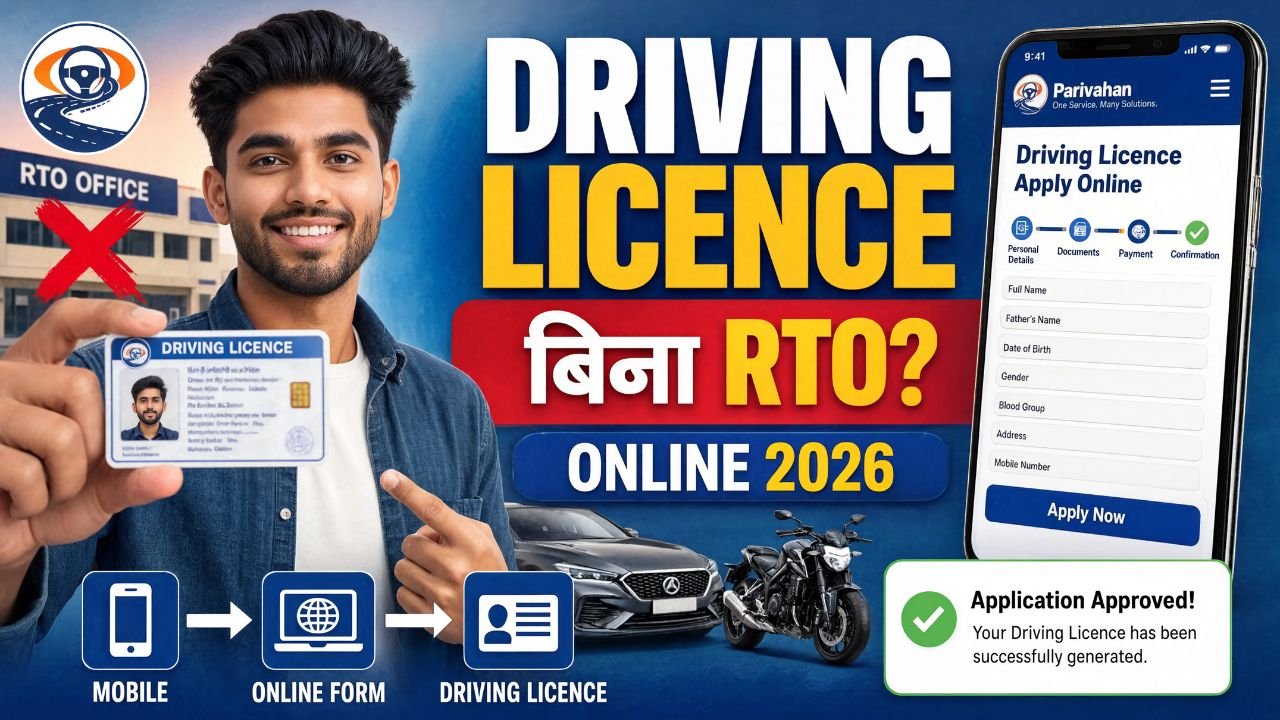
Driving Licence Apply Online 2026: आज के समय में Driving Licence बनवाना पहले की तुलना में काफी आसान हो गया है। अब आप Learner Licence से लेकर Driving Licence application तक का बड़ा हिस्सा online कर सकते हैं। इसके लिए Government का official Sarathi Parivahan portal इस्तेमाल किया जाता है। Parivahan की official website पर new/old driving licence, learner licence, appointment booking, application status और online test जैसी सुविधाएं उपलब्ध हैं।
लेकिन यहां एक important बात समझना जरूरी है—“Driving Licence बिना RTO” का मतलब यह नहीं है कि हर applicant को किसी भी situation में RTO जाने की जरूरत नहीं होगी। कुछ services Aadhaar/eKYC और contactless process के माध्यम से पूरी हो सकती हैं, जबकि जिन services में physical verification या driving test जरूरी है, वहां RTO/authorized centre पर जाना पड़ सकता है। इसलिए application करते समय आपके state और service के हिसाब से दिखाई गई instructions को follow करना जरूरी है।
इस article में हम Driving Licence Apply Online 2026, Learner Licence, Permanent Driving Licence, documents, fees, driving test, online process, status check और common problems को step-by-step समझेंगे।
Driving Licence क्या होता है?
Driving Licence यानी DL एक official legal document है, जो यह प्रमाणित करता है कि किसी व्यक्ति को particular category का motor vehicle चलाने की अनुमति है।
अगर आप motorcycle, scooter, car या किसी अन्य eligible vehicle को public road पर चलाना चाहते हैं, तो आपके पास valid Driving Licence होना जरूरी है।
Driving Licence में vehicle की category भी mention होती है, जैसे:
- Motorcycle
- Motor Cycle With Gear
- Light Motor Vehicle यानी LMV
- Transport Vehicle आदि
आपको जिस vehicle category के लिए licence चाहिए, application में वही category select करनी होती है।
क्या 2026 में Driving Licence Online बन सकता है?
हाँ, Driving Licence application का काफी हिस्सा online किया जा सकता है।
Government का Sarathi Parivahan system application submission, fee payment, appointment/slot booking और कई अन्य licence-related services को online support करता है।
लेकिन ध्यान रखें:
Online application ≠ हर case में 100% घर बैठे licence।
अगर आपके application में driving test, biometric verification या physical document/vehicle verification required है, तो आपको concerned RTO या designated centre पर जाना पड़ सकता है।
इसलिए “बिना RTO Driving Licence” को सही तरीके से समझें—application online करना possible है, लेकिन final licence process आपके state और service के rules पर depend करता है।
Driving Licence बनवाने के लिए सबसे पहले क्या बनाना होगा?
अगर आपके पास पहले से कोई valid Driving Licence नहीं है, तो आम तौर पर process की शुरुआत Learner Licence (LL) से होती है।
Simple process इस तरह समझें:
Learner Licence → Practice → Driving Licence Application → Driving Test → DL Issue
Learner Licence आपको vehicle चलाने की practice करने के लिए दिया जाता है। इसके बाद applicable waiting period और eligibility पूरी होने पर permanent Driving Licence के लिए apply किया जाता है।
Driving Licence के लिए कौन apply कर सकता है?
Eligibility vehicle category और applicable rules पर depend करती है।
सामान्य तौर पर applicant की:
- Required minimum age पूरी होनी चाहिए।
- Valid identity/address details होनी चाहिए।
- Required documents उपलब्ध होने चाहिए।
- Learner Licence की requirement पूरी करनी होती है।
- Permanent DL के लिए applicable driving test पास करना पड़ सकता है।
Minor applicants के लिए अलग rules और parental/guardian requirements लागू हो सकते हैं।
इसलिए केवल age देखकर application submit न करें। जिस vehicle category के लिए apply कर रहे हैं, उसकी eligibility जरूर check करें।
Driving Licence Online Apply करने के लिए Documents
Application के दौरान documents state और applicant की situation के अनुसार अलग हो सकते हैं।
आमतौर पर निम्न documents की जरूरत पड़ सकती है:
1. Aadhaar Card
Identity और address verification के लिए Aadhaar का इस्तेमाल कई online services में किया जाता है।
2. Age Proof
Age proof के लिए applicable documents मांगे जा सकते हैं।
3. Address Proof
Current address की verification के लिए valid address proof की आवश्यकता हो सकती है।
4. Photograph
कुछ processes में online photograph/eKYC या अन्य prescribed method इस्तेमाल हो सकता है।
5. Signature
Application process के अनुसार signature upload या capture करना पड़ सकता है।
6. Medical Certificate
कुछ specific categories या applicants के लिए medical certificate required हो सकता है।
Important: Documents की exact list state और selected service के हिसाब से बदल सकती है। इसलिए application portal पर दिखाई गई document requirement को final मानें।
Driving Licence Apply Online 2026 का Official Portal
Driving Licence के लिए सबसे important portal है:
Sarathi Parivahan
Government की Parivahan website के अनुसार learner licence और driving licence related services Sarathi portal के माध्यम से उपलब्ध हैं।
Official portal पर जाने के बाद आपको अपना State select करना होता है।
इसके बाद आपके state में available services दिखाई जाएंगी।
किसी third-party website से application करने की जरूरत नहीं है।
Learner Licence Online Apply कैसे करें?
सबसे पहले Sarathi Parivahan portal खोलें। – https://sarathi.parivahan.gov.in/sarathiservice/stateSelection.do
Step 1: Official Sarathi Website खोलें
Sarathi Parivahan portal पर जाएं।
Step 2: अपना State Select करें
Homepage पर अपने state को select करें।
Step 3: Learner Licence Option चुनें
Learner License section में जाकर Application for New Learners License जैसे option को select करें।
Parivahan की FAQ में भी new learner licence के लिए Sarathi portal पर जाकर concerned state select करने और “Application for New Learners License” option चुनने की प्रक्रिया दी गई है।
Step 4: Authentication Method चुनें
Portal आपके state और available service के हिसाब से authentication options दिखा सकता है।
अगर Aadhaar-based authentication available है, तो instructions के अनुसार process complete करें।
Step 5: Application Form भरें
अब applicant की basic details भरनी होती हैं।
जैसे:
- Name
- Date of Birth
- Address
- Mobile Number
- Blood Group, जहां applicable हो
- Vehicle Class
Form भरते समय spelling और date of birth जैसी information carefully check करें।
Step 6: Documents Submit करें
Portal द्वारा मांगे गए documents upload/submit करें।
Step 7: Fee Payment करें
Application के बाद applicable government fee online pay करनी होती है।
Step 8: Learner Licence Test
Learner Licence के लिए online test/LL test की requirement हो सकती है। Sarathi portal पर Online Learners’ License Test (STALL) सुविधा के बारे में official FAQ उपलब्ध है।
Test में traffic signs, road safety और basic driving rules से जुड़े questions आ सकते हैं।
Learner Licence मिलने के बाद क्या करें?
Learner Licence मिलने के बाद सबसे important काम है proper driving practice।
Vehicle चलाते समय learner licence के applicable rules follow करें।
आपको road signs, traffic signals, lane discipline, indicators, braking और basic road safety का अच्छी तरह practice करना चाहिए।
इसके बाद permanent Driving Licence के लिए eligible होने पर application करें।
Permanent Driving Licence Online Apply कैसे करें?
Permanent Driving Licence के लिए Sarathi portal पर जाकर applicable New Driving Licence service select करनी होती है।
Official Parivahan FAQ के अनुसार new driving licence services के लिए पहले new DL application submit किया जाता है और generated application number के आधार पर आगे की process की जा सकती है।
Basic process:
Sarathi → State Select → Driving Licence → New Driving Licence → Application → Fee → Slot/Appointment → Driving Test → Approval
Driving Test कैसे होता है?
Permanent Driving Licence के लिए सबसे important stage में से एक Driving Test है।
इस test में examiner यह check कर सकता है कि applicant vehicle को safely और properly operate कर सकता है या नहीं।
आपको generally इन चीजों पर ध्यान देना चाहिए:
- Vehicle control
- Proper turning
- Braking
- Indicators
- Road discipline
- Traffic rules
- Reverse/parking-related skills, जहां applicable हो
- Safety awareness
Test की exact procedure vehicle category और RTO/state के अनुसार अलग हो सकती है।
इसलिए test से पहले अपने appointment details और concerned authority की instructions जरूर पढ़ें।
क्या Driving Test के लिए RTO जाना जरूरी है?
यह सबसे ज्यादा पूछा जाने वाला सवाल है।
इसका answer है:
हर applicant के लिए same नहीं है।
कुछ services contactless/eKYC process के तहत available हो सकती हैं। वहीं कुछ services में physical verification, biometric या driving test जरूरी होता है।
Parivahan के portal पर भी contactless और non-contactless services के बीच distinction दिया गया है। Non-contactless services में required process पूरा करने के बाद concerned RTO/authority पर physical verification की आवश्यकता हो सकती है।
इसलिए अगर आपका उद्देश्य “बिना RTO Driving Licence” है, तो पहले यह check करें कि आपकी specific service contactless है या नहीं।
Driving test required है तो बिना test दिए permanent DL मिलना normal legal process नहीं है।
Driving Licence की Government Fee कितनी है?
Central fee schedule में अलग-अलग licence services के लिए अलग fees निर्धारित हैं।
Parivahan की published fee table के अनुसार:
- Learner Licence issue: ₹150 per class
- Learner Licence test/repeat test: ₹50
- Driving competence test: ₹300 per class
- Driving Licence issue: ₹200
- International Driving Permit: ₹1,000
- Addition of another vehicle class: ₹500
- Driving Licence renewal: ₹200
हालांकि total amount में service-specific charges या other applicable charges शामिल हो सकते हैं। इसलिए payment करने से पहले portal पर दिखाई गई final fee को ही मानें।
Driving Licence Application Status कैसे Check करें?
Application submit करने के बाद आप उसका status online check कर सकते हैं।
Basic process:
Sarathi Parivahan → State Select → Application Status
इसके बाद application number और मांगी गई details enter करके status check करें।
Application number को सुरक्षित रखें क्योंकि आगे की process में इसकी जरूरत पड़ सकती है।
Driving Licence Download कैसे करें?
Application approve होने के बाद licence details digital platforms पर उपलब्ध हो सकती हैं।
आप applicable official digital transport services जैसे mParivahan के माध्यम से licence-related information access कर सकते हैं।
mParivahan Government के transport services ecosystem का हिस्सा है और इसमें Sarathi, Vahan और eChallan services available हैं।
Physical card की delivery/printing process state और concerned authority के अनुसार अलग हो सकती है।
Application में सबसे ज्यादा होने वाली गलतियां
Driving Licence apply करते समय कुछ common mistakes से application delay हो सकता है।
Mistake 1: गलत Date of Birth
DOB documents के अनुसार ही भरें।
Mistake 2: गलत Address
Address proof और application details में unnecessary mismatch न रखें।
Mistake 3: गलत Vehicle Class
जिस vehicle category के लिए licence चाहिए, वही class select करें।
Mistake 4: Fake Website पर Apply करना
Google पर मिलने वाली random websites या agents को personal documents और payment details देने से बचें।
Mistake 5: Application Number खो देना
Application number का screenshot और PDF receipt दोनों save करें।
Mistake 6: Driving Test को Ignore करना
Permanent DL के लिए applicable driving test को seriously लें।
Driving Licence बनवाते समय Scam से कैसे बचें?
आजकल कई लोग “घर बैठे बिना RTO DL”, “₹500 में Permanent Licence” या “बिना test Driving Licence” जैसे claims करते हैं।
ऐसे claims से सावधान रहें।
Government services के लिए official Parivahan/Sarathi portal का इस्तेमाल करें।
अगर कोई व्यक्ति आपसे OTP, Aadhaar credentials, banking PIN या unnecessary personal information मांगता है, तो सावधानी बरतें।
OTP किसी के साथ share न करें।
अगर Online Application में Problem आए तो क्या करें?
अगर Sarathi portal पर technical issue आता है तो सबसे पहले:
- Browser refresh करें।
- Chrome/updated browser इस्तेमाल करें।
- Cache और cookies clear करें।
- कुछ समय बाद दोबारा try करें।
- Application number और payment receipt check करें।
- Duplicate application बनाने से पहले existing application status check करें।
Official Parivahan contact information के अनुसार learner licence और driving licence technical problems के लिए helpdesk-sarathi@gov.in तथा +91-120-2459169 दिया गया है।
Payment कट गया लेकिन Application Update नहीं हुआ तो?
कई बार online payment के बाद तुरंत application status update नहीं होता।
ऐसी situation में तुरंत दोबारा payment करने की गलती न करें।
पहले:
- Transaction status check करें।
- Application status check करें।
- Payment receipt देखें।
- Bank transaction status verify करें।
अगर transaction pending है, तो portal की instructions के अनुसार आगे बढ़ें।
क्या Agent के बिना Driving Licence बन सकता है?
हाँ।
आप खुद official Sarathi portal के माध्यम से application process कर सकते हैं।
Agent की जरूरत इसलिए महसूस होती है क्योंकि कुछ लोगों को online form, documents, fee payment या appointment process समझ नहीं आता।
लेकिन अगर आप instructions ध्यान से follow करते हैं, तो काफी process खुद किया जा सकता है।
इससे unnecessary agent charges भी बच सकते हैं।
Driving Licence Apply Online 2026 — पूरा Process एक नजर में
अगर आप पूरे process को short में समझना चाहते हैं, तो इसे ऐसे याद रखें:
- Step 1: Sarathi Parivahan website खोलें।
- Step 2: अपना State Select करें।
- Step 3: Learner Licence के लिए New Learner Licence option चुनें।
- Step 4: Authentication और application form complete करें।
- Step 5: Required documents submit करें।
- Step 6: Applicable fee pay करें।
- Step 7: Learner Licence test complete करें।
- Step 8: Learner Licence प्राप्त करें।
- Step 9: Required period पूरा होने के बाद New Driving Licence के लिए apply करें।
- Step 10: DL fee और driving test appointment/slot complete करें।
- Step 11: Required होने पर RTO/authorized centre पर driving test दें।
- Step 12: Test और verification successful होने के बाद DL issue process complete होगा।
क्या Driving Licence पूरी तरह घर बैठे मिल सकता है?
यह question थोड़ा confusing है।
अगर आपका मतलब है:
“क्या मैं application घर से online कर सकता हूं?”
तो हाँ, काफी हद तक।
लेकिन अगर आपका मतलब है:
“क्या मुझे किसी भी situation में RTO या driving test centre नहीं जाना पड़ेगा?”
तो इसका answer हर applicant के लिए हाँ नहीं है।
कुछ services contactless हो सकती हैं, लेकिन driving test/physical verification वाली services में physical visit जरूरी हो सकता है।
इसलिए “Bina RTO Driving Licence” headline को समझते समय हमेशा official service requirements check करें।
Important Tips Before Applying
Application करने से पहले इन points को जरूर check करें:
- Aadhaar और अन्य documents में details सही हों।
- Mobile number active रखें।
- Email ID available रखें, अगर required हो।
- Application number save करें।
- Payment receipt download करें।
- Appointment date note करें।
- Driving test से पहले practice करें।
- Traffic signs जरूर पढ़ें।
- केवल official Parivahan/Sarathi website का इस्तेमाल करें।
- किसी unauthorized person को OTP न दें।
Final Conclusion
Driving Licence Apply Online 2026 की process पहले की तुलना में काफी digital हो चुकी है। Sarathi Parivahan के जरिए learner licence और driving licence से जुड़ी कई services online access की जा सकती हैं। Government portal पर application, payment, test और appointment से संबंधित सुविधाएं उपलब्ध हैं।
लेकिन एक बात हमेशा याद रखें—Online application का मतलब यह नहीं कि हर applicant को physical verification या driving test से छूट मिल जाती है। आपकी selected service, state और eligibility के अनुसार RTO या authorized centre पर जाना पड़ सकता है।
अगर आप पहली बार Driving Licence बनवा रहे हैं, तो सबसे safe तरीका है:
Learner Licence → Practice → New Driving Licence Application → Driving Test/Required Verification → Licence Issue.
और सबसे जरूरी बात, किसी agent या unofficial website के “बिना test”, “बिना verification”, या “guaranteed licence” जैसे claims पर भरोसा न करें।
Official information और services के लिए Parivahan/Sarathi portal को ही प्राथमिकता दें। यही तरीका आपको unnecessary charges, fraud और गलत application से बचाने में मदद करेगा।